 MyMoodMapp
 questions and answers
Everything people ask about MyMoodMapp. Can't find it? Write to support@kairosdigitallabs.com.
About MyMoodMapp
What does MyMoodMapp cost?
MyMoodMapp is free to download, and checking in, your daily painting and your patterns are free. Pro adds extra features in each part of the app.
Where can I use it?
On iPhone, Android, and on the web at mymoodmapp.com. Your check-ins stay in sync across all three.
Who can see my check-ins?
Only you. In a family, couple or group circle, people see your weather in the shared world, never your scores, notes or tags.
Does it use my health data?
Only if you allow it. With Apple Health on, MyMoodMapp reads sleep, steps and heart rate so your patterns can show how your body and mood move together.
Can a therapist or group leader use it?
Yes. A group leader can start a group, pick the check-in questions, and see everyone's answers before the session starts.
Using the app
How does a check-in work?
Tap the plus button, nudge four sliders (mind, energy, body and focus), pick a word for how it feels and, if you like, tag what happened. Or say it out loud instead. Then tap Paint today and your world repaints.
What is the painted world?
When you start, you answer two quick questions and pick a world, such as a mountain lake or a coast. Every check-in repaints it to show how you feel, and what you tag decides what appears: move your body and a canoe might appear, time with friends brings a campfire. Finds stay put, so your world builds up over time.
How does MyMoodMapp show what affects my mood?
The Learn tab ranks the drivers behind your good and bad days from your own check-ins (and Apple Health, if you allow it), with how many days back each one up. You can test a change for a week and MyMoodMapp tells you if it made a difference.
Can I share it with family or a partner?
Yes. In a family, friends or couple circle everyone checks in on their own and you share one painted world. People see each other's weather, never scores, notes or tags. Couples can also share a sleep-sounds mix and fall asleep to the same sounds.
Account, subscriptions and privacy
How do I cancel my subscription?
On iOS: Open the Settings app → tap your Apple ID → Subscriptions → MyMoodMapp → Cancel Subscription. On Android: Open Google Play → Menu → Subscriptions → MyMoodMapp → Cancel. On the web: Settings → Account → Manage billing & invoices → Cancel. You retain access until the end of your billing period.
Is there a free trial?
When a plan offers a free trial, the Plans screen shows it before you start. You are charged when the trial ends unless you cancel at least 24 hours before. On iPhone and Android the charge is made by Apple or Google; on the web, by Stripe.
Can I restore my purchases on a new device?
Yes. Sign in with the same account, then open Settings → Plan (or Settings → Account) and tap Restore purchases. This restores any active subscription tied to your Apple ID or Google account.
Is my mood data private and secure?
Yes. All your data is encrypted in transit and at rest. We never sell or share your personal data with third parties. You can export or delete your data at any time from Settings. See our full Privacy Policy for details.
Why is my health data not showing on the web?
Health and fitness data (steps, sleep, heart rate) syncs from your phone. Open MyMoodMapp on your iPhone or Android phone while signed in, then refresh the web page.
How do I connect with family, friends or my therapist?
Open the Circle tab. Share your code, or start a family, couple or group circle and send the invite. People in your circle see your weather in a shared world, never your scores, notes or tags. Therapists using Therapist Pro invite clients from their dashboard with a link. You choose exactly what your therapist sees under Settings.
How is my painting made?
Each check-in repaints your world with an AI image model, using your scores, the tags you pick and the time of day. Things you have found stay in your world. We never send your name or email, and our providers do not train on your data.
What does MyMoodMapp read from Apple Health or Health Connect?
Only what you allow: sleep, steps, workouts, active energy, resting and average heart rate, heart rate variability, mindful minutes, time in daylight, and period days if you turn on the cycle map. It is used only for your patterns inside the app. On iPhone, if you turn on Save moods to Apple Health in Settings, each check-in is also saved to the Health app as a State of Mind entry.
How do I delete my account and data?
Open Settings → Account → Delete account. Your account and all its data are permanently removed within 30 days. You can also email support@kairosdigitallabs.com with the subject "Delete my account".
The app is not working correctly — what should I do?
First try: (1) Force-close and reopen the app. (2) Check your internet connection. (3) Sign out and sign back in. If the issue persists, email us at support@kairosdigitallabs.com with a description of the problem and your device model / OS version.
Video guides
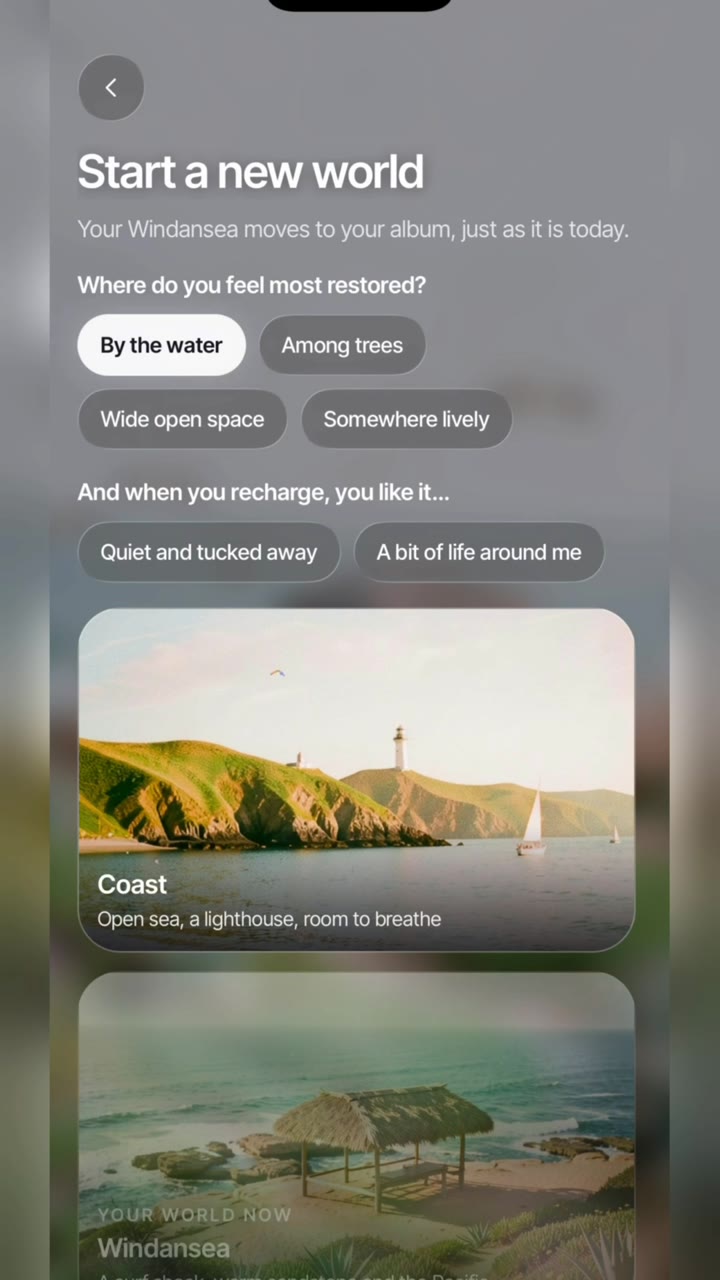
 Getting startedAnswer two quick questions, pick the world MyMoodMapp recommends, and watch it painted for you.▶ Video · 0:31
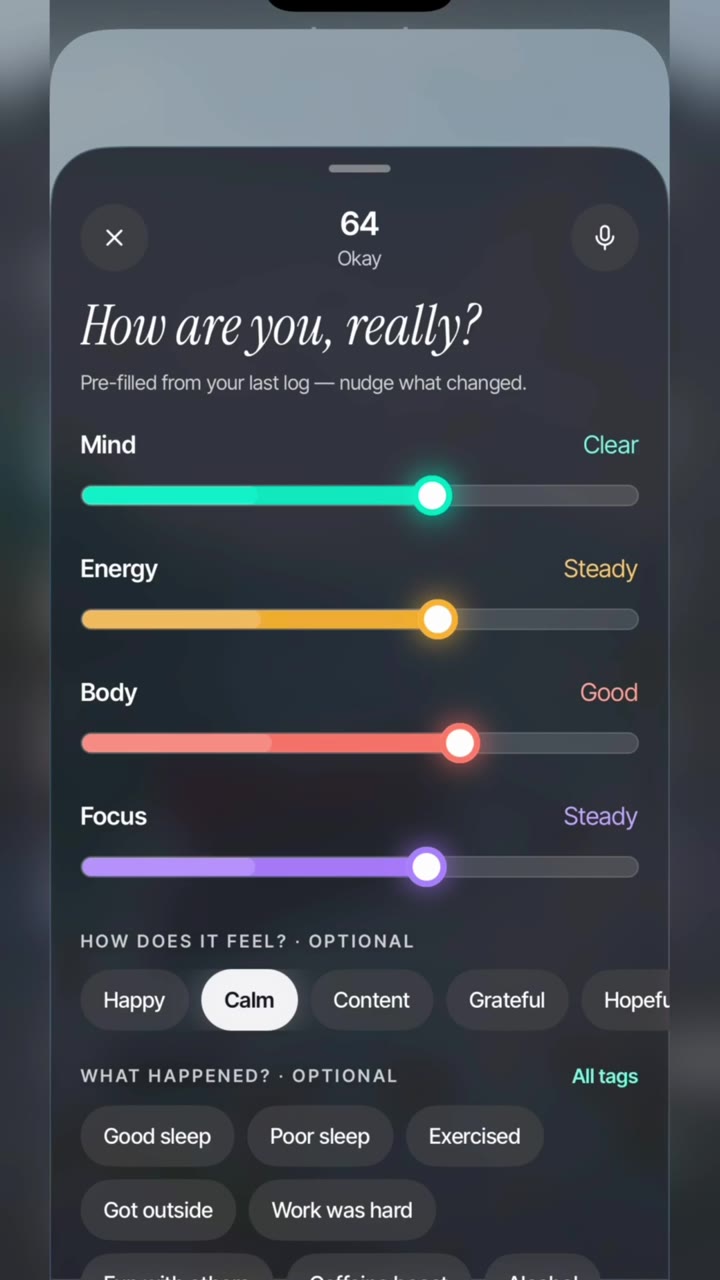
 Check inA check-in takes about three seconds: four sliders, a word, a tag if you like, then Paint today.▶ Video · 0:35
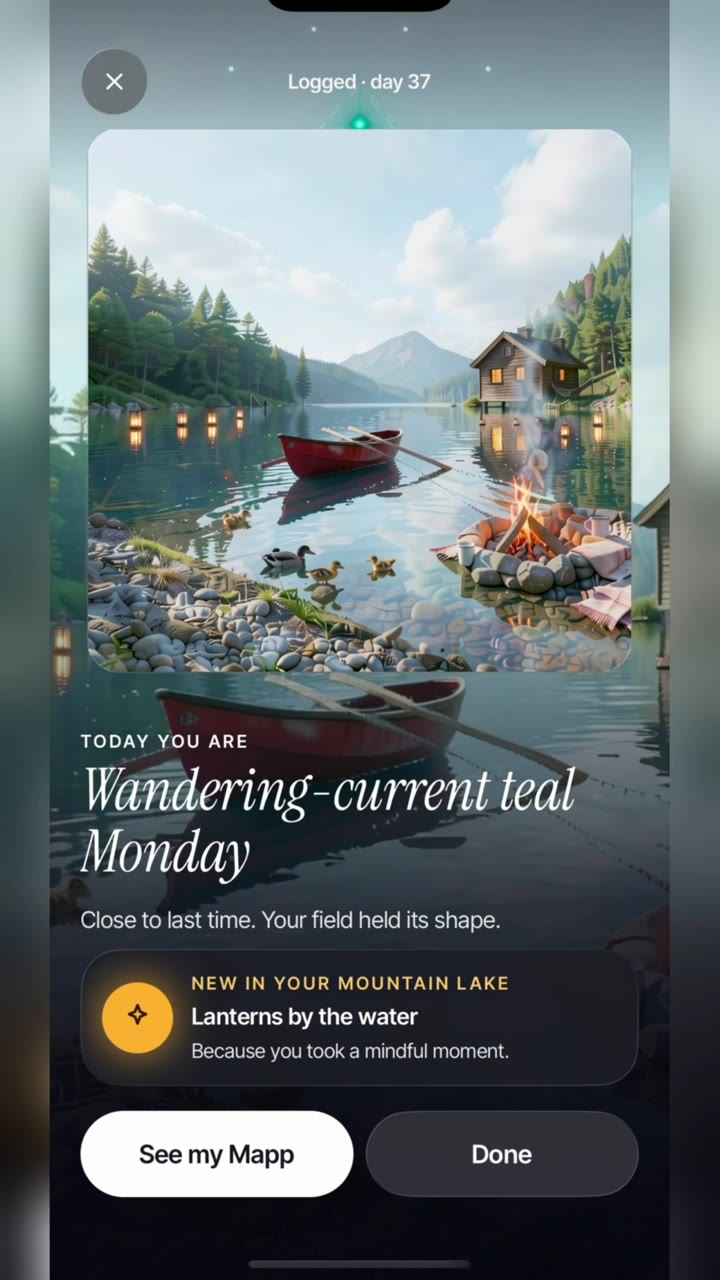
 Watch your world growWhat you tag decides what appears in your painted world, and every find stays put.▶ Video · 0:27
Paint your first day
MyMoodMapp is free to start on iPhone and on the web.